01
Upload your files
Add supported accounting reports or bank statements.


Upload your files. See what came in, what went out, and what needs your attention.
See income, expenses, and recorded cash in one place. Know which amounts need a closer look.
Example amounts. These are not records from a real account.
Use the records you already have.
Add supported accounting reports or bank statements.
Review the items that the app flags.
See your business money and the source of each amount.
You do not need to know every accounting term to understand how your business is doing.
Have a question?Read the amounts from your reports. See what came in and what went out.
See the cash recorded in your latest SRL report, with its date and source.
Import supported tax documents. Read the summaries and check unclear items.
Keep separate records for each business. See the source of each result.
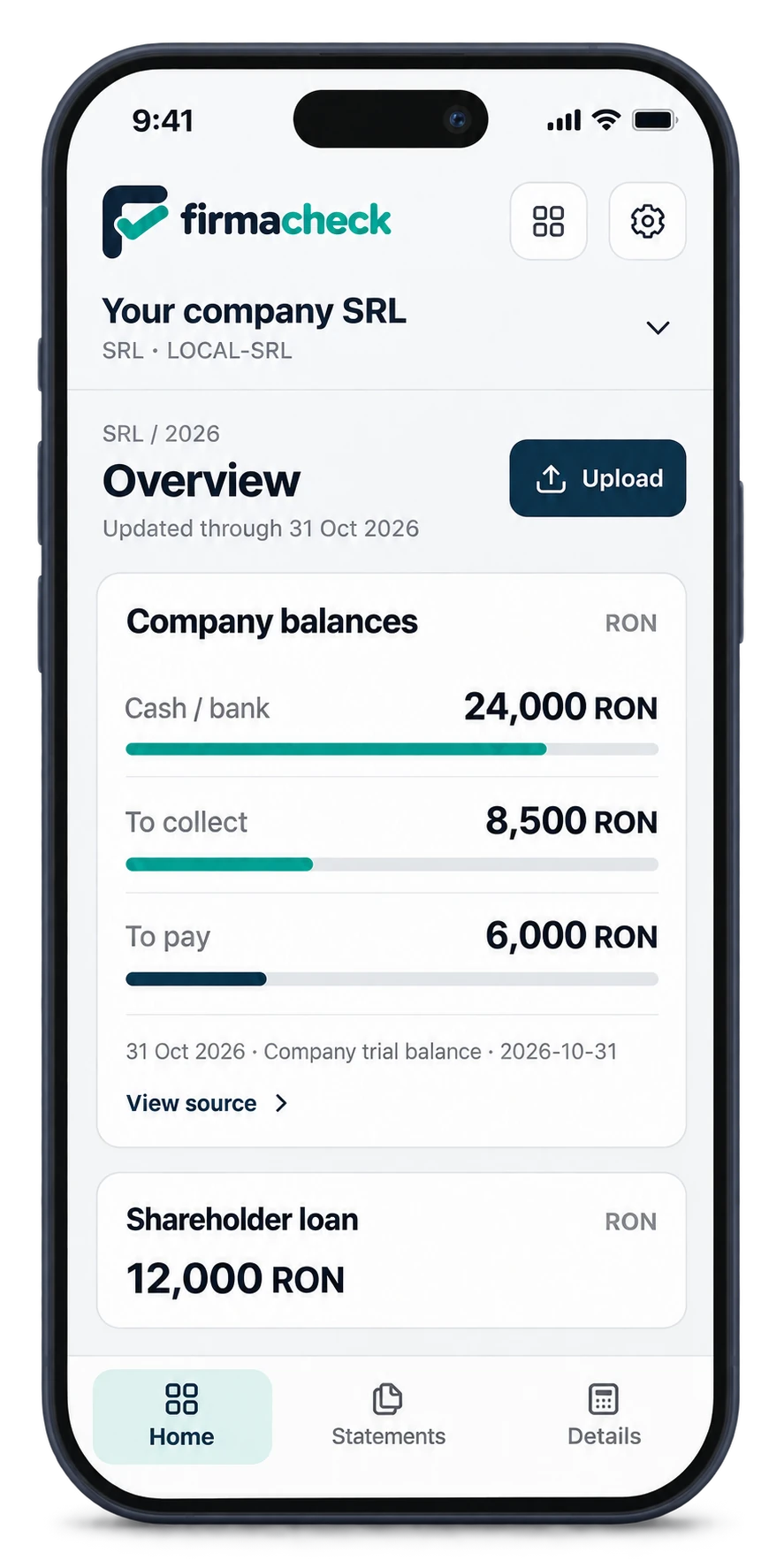
Check your business finances on your phone, tablet or computer. Sign in to the same account to find your saved businesses and documents in one place.
Know what firmaclară can do before you begin.
firmaclară helps Romanian SRL and PFA owners understand their business money and tax documents.
For an SRL, use supported monthly trial balance PDFs. For a PFA, start with supported bank statements. You can also import original ANAF PDFs or ZIP files. Scanned files need text recognition before import.
No. firmaclară helps you understand your records. Ask your accountant to check estimates before you make a decision.
No. For an SRL, amounts come from the latest active trial balance. Each result shows its date and source.
Yes. You can import saved ANAF PDFs or ZIP files. The optional Chrome extension can retrieve documents if you have a supported certificate setup.
No. firmaclară does not submit tax returns or make payments.
Clear analysis • Your data in one place • Your first check is free